
AI-Assisted Project Management for a Singapore Agency: Keeping Tasks and Client Communication on Track
How a Singapore agency combined automated task reminders, AI-assisted client update drafts, and communication checks to improve timeline control and reduce manual monitoring.
Industry: Agency / Singapore
Scope: Task reminders, client update drafts and communication follow-up
Technology: n8n + AI-assisted drafting
Explore the reminder, drafting and communication workflows in our four-page case study.
Download the agency project management case study (PDF)
Project overview
For an agency in Singapore, keeping a project moving meant more than maintaining a timeline. The team also needed to remind people about their tasks, prepare client updates and keep up with requests arriving through WhatsApp and email.
These activities depended heavily on manual follow-up. Project associates spent time chasing progress, deadlines were sometimes missed and client communication could become inconsistent. Lemonade introduced connected workflows for task reminders, AI-assisted update drafts and communication checks to support the team’s day-to-day project management.
1. The challenge: project information needed constant follow-up
Project timelines existed, but tasks did not always receive attention at the right time. Team members needed reminders about what was due, while project associates had to chase progress and check whether work was falling behind.
Preparing client updates added another recurring task. The team needed to gather the latest project status and turn it into a clear message. When delivery work became busy, the consistency of those updates could suffer.
Conversations created a further layer of monitoring. WhatsApp and email needed to be checked for unanswered messages, new requests and items requiring follow-up. The agency needed a more consistent way to keep work visible without adding more administration.
2. The solution: connect timelines, reminders and communication
Using n8n, the agency connected project information to automated reminders and draft communications. Rule-based workflows handle daily task reminders and selected stage-triggered messages. AI assists with writing weekly client update drafts, which the team reviews before sending.
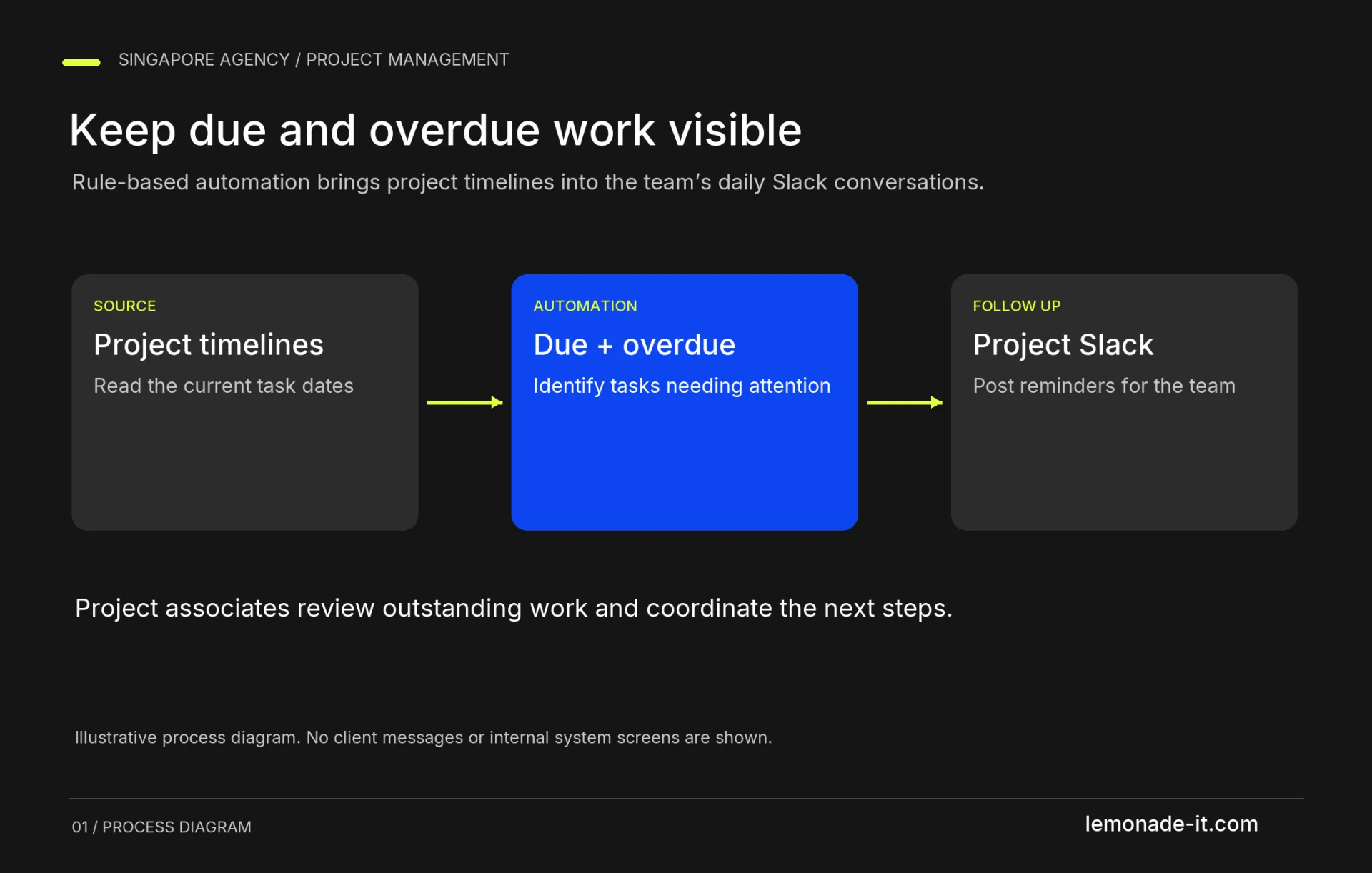
Daily reminders bring due and overdue tasks into Slack
The reminder workflow reads project timelines, identifies tasks due that day or already overdue, and posts reminders in the relevant project Slack channel. This brings outstanding work into the place where the team coordinates delivery.
Team members receive a prompt about what needs attention, while project associates gain a consistent starting point for follow-up. They can focus on resolving delays rather than manually assembling a daily reminder list.
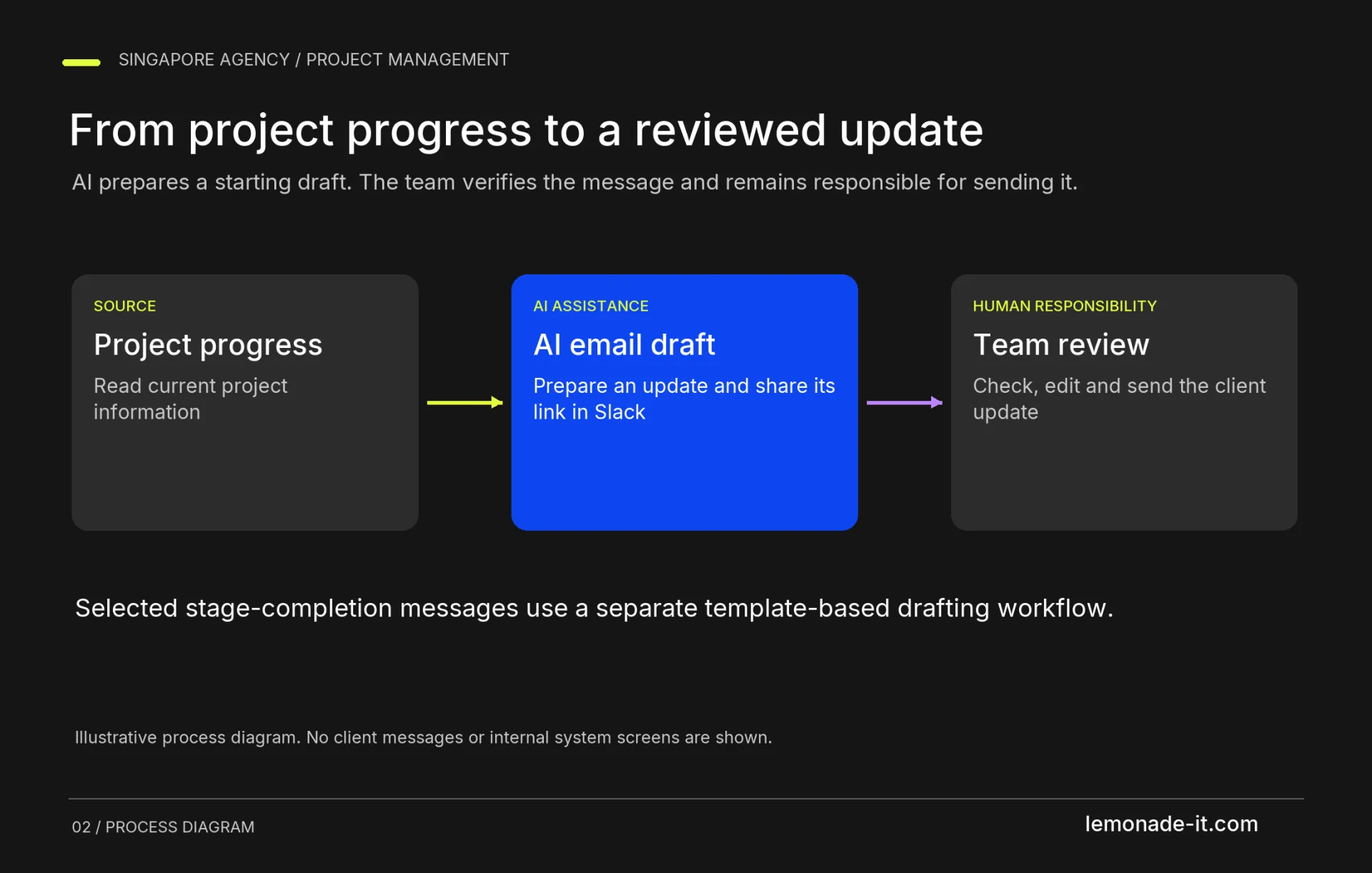
AI turns project progress into client update drafts
The client update workflow reads current project information and uses AI to prepare an email draft. A link to the draft is shared in the project Slack channel, where the team can check the content, make changes and send the update.
This reduces the effort of starting each update from a blank page. The team remains responsible for verifying progress, checking commitments and making sure the message reflects the project accurately. Client updates are reviewed before they are sent.
For selected completed project stages, a separate workflow prepares template-based draft messages. This supports consistent communication around milestones without requiring AI for every message.
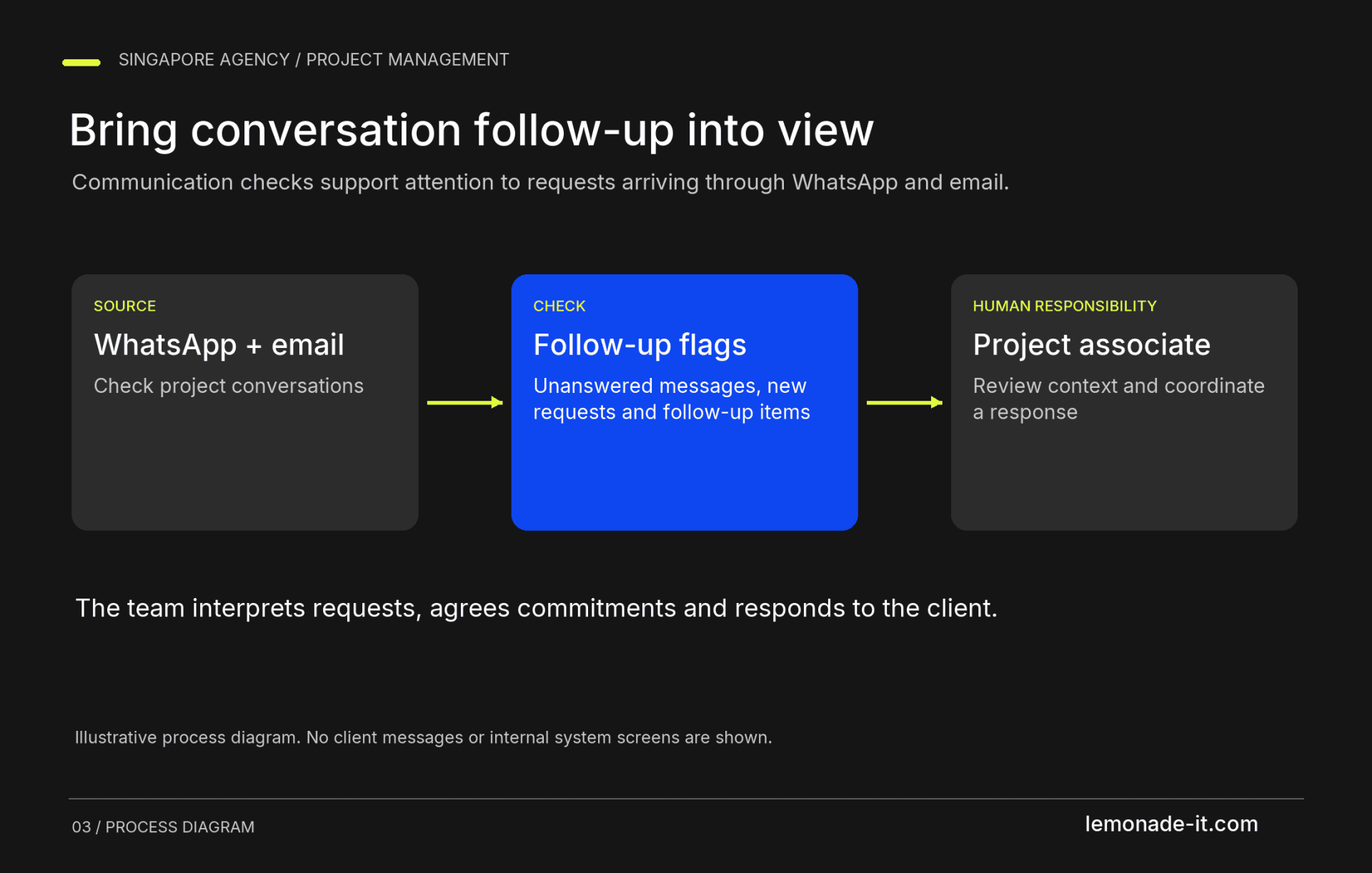
WhatsApp and email checks identify follow-up needs
Communication checks help surface unanswered messages, new client requests and items requiring follow-up across WhatsApp and email. These checks complement the project timeline by highlighting work that may emerge through conversations.
The project associate can review the flagged items and decide what action is needed. The team still interprets the client’s request, agrees commitments and responds; the checks support more consistent attention to those conversations.
3. Results: better timeline control with less manual monitoring
The agency reported better control over project timelines and a reduced manual monitoring workload for project associates. Reminders made outstanding tasks more visible, while draft updates and communication checks supported a more consistent follow-up process.
| Project management need | Workflow support |
|---|---|
| Keep tasks visible | Daily reminders bring due and overdue work into project Slack channels. |
| Maintain client updates | AI prepares a draft for the team to verify, edit and send. |
| Follow up on conversations | Communication checks flag unanswered messages, new requests and follow-up items. |
Results are qualitative observations reported by the project owner. Time savings, deadline improvements and response-time gains have not been formally measured.
Supporting the project associate’s work
The project connected the timeline with the communication around it. Reminders keep tasks visible, AI reduces routine drafting effort, and communication checks help surface items that need attention.
Together, these workflows reduce the effort spent collecting updates and repeatedly checking for outstanding work. Project associates can spend more time coordinating delivery and helping the team move projects forward.
If your team spends too much time chasing tasks and assembling client updates, talk to Lemonade about connecting your project workflows with automation and AI-assisted communication.
Explore the reminder, drafting and communication workflows in our four-page case study.
Download the agency project management case study (PDF)